
Real-Time Availability for Social Planning
Role: UX Director / Product Designer
Status: Stealth startup | iOS beta (pre-launch)
Scope: Onboarding | Friends | Schedule | Profile | Calendar Design
Context
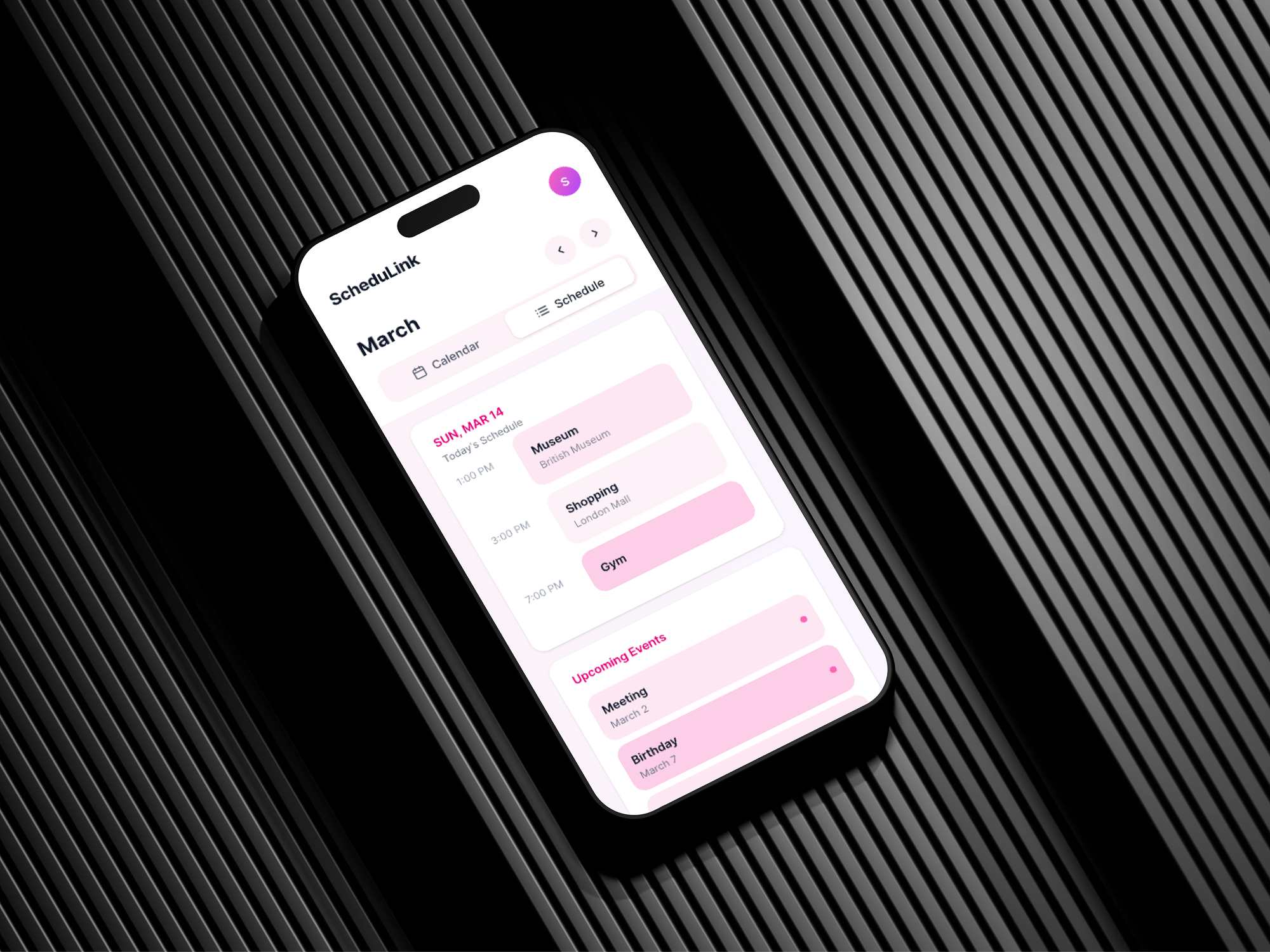
ScheduLink is a social scheduling app for college students. Since the product is still pre-launch, my focus was not on growth optimization, but on shaping the visual language, interaction patterns, and flexible calendar system that define the core experience.
Framing the Problem
College students often want to meet spontanously, but the tools they use (groupchats, google calendar, find my iPhone, SnapChat) either require active coordination, feel overly formal, or introduce privacy concerns.
The design question became:
How can availability be understood quickly without increasing social pressure or complexity?
Instead of adding more communication features, I focused on designing a system where availability is derived from schedule data and expressed visually.
Ideation & Early Wireframes
Wireframes used to test how schedule input, privacy settings, and availability states connect.
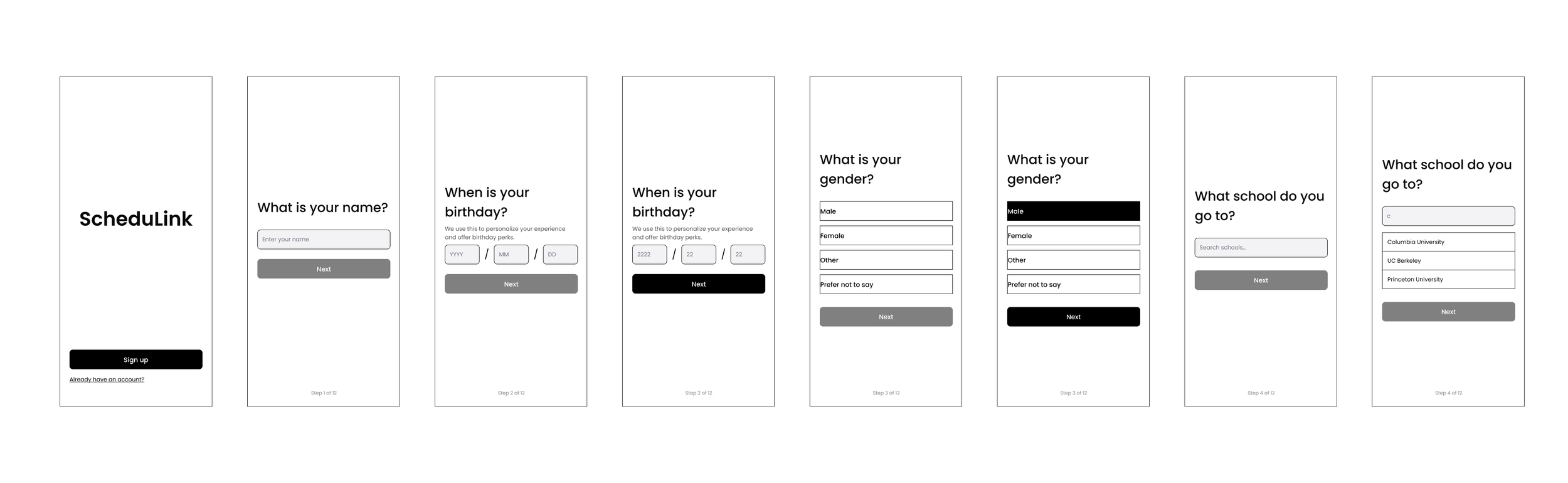
Progressive onboarding flow balancing required setup and low friction.
Calendar as Personal Expression
I introduced customizable calendar themes so users can personalize their schedules through color and layout variations. All themes operate on the same structural framework and design system. This keeps the experience flexible while maintaining consistency.
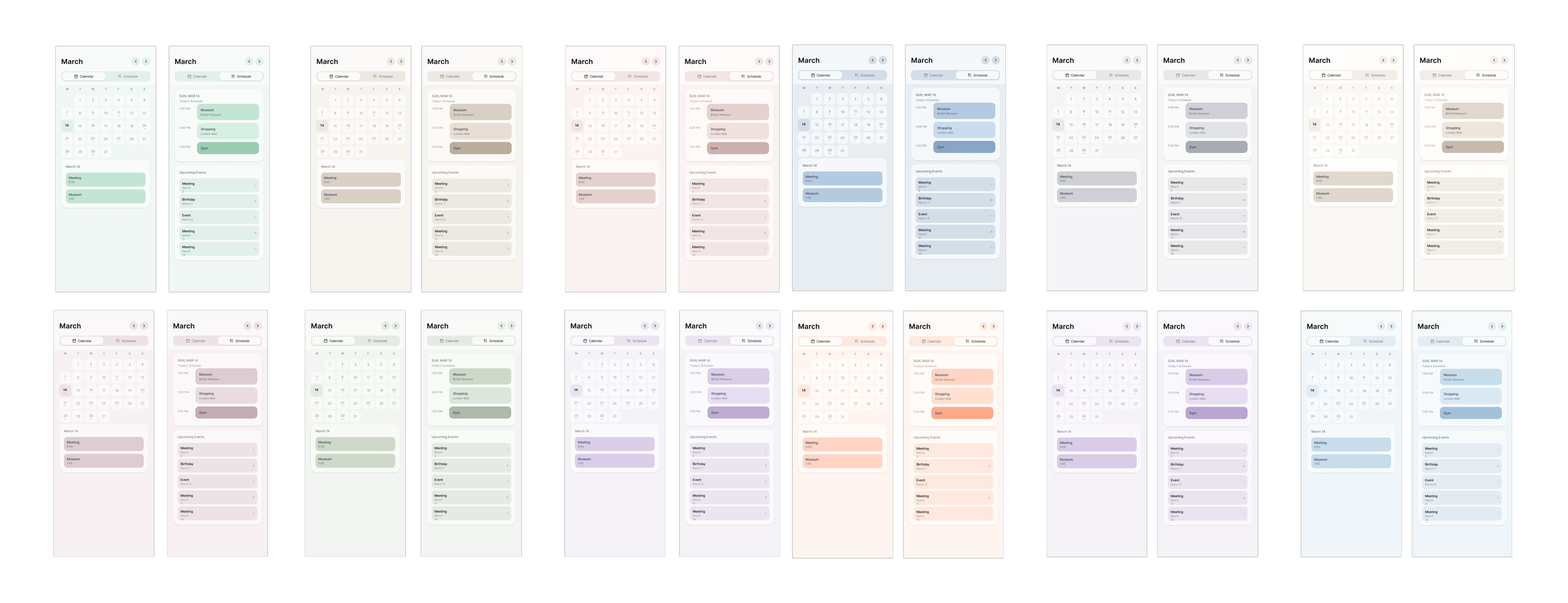
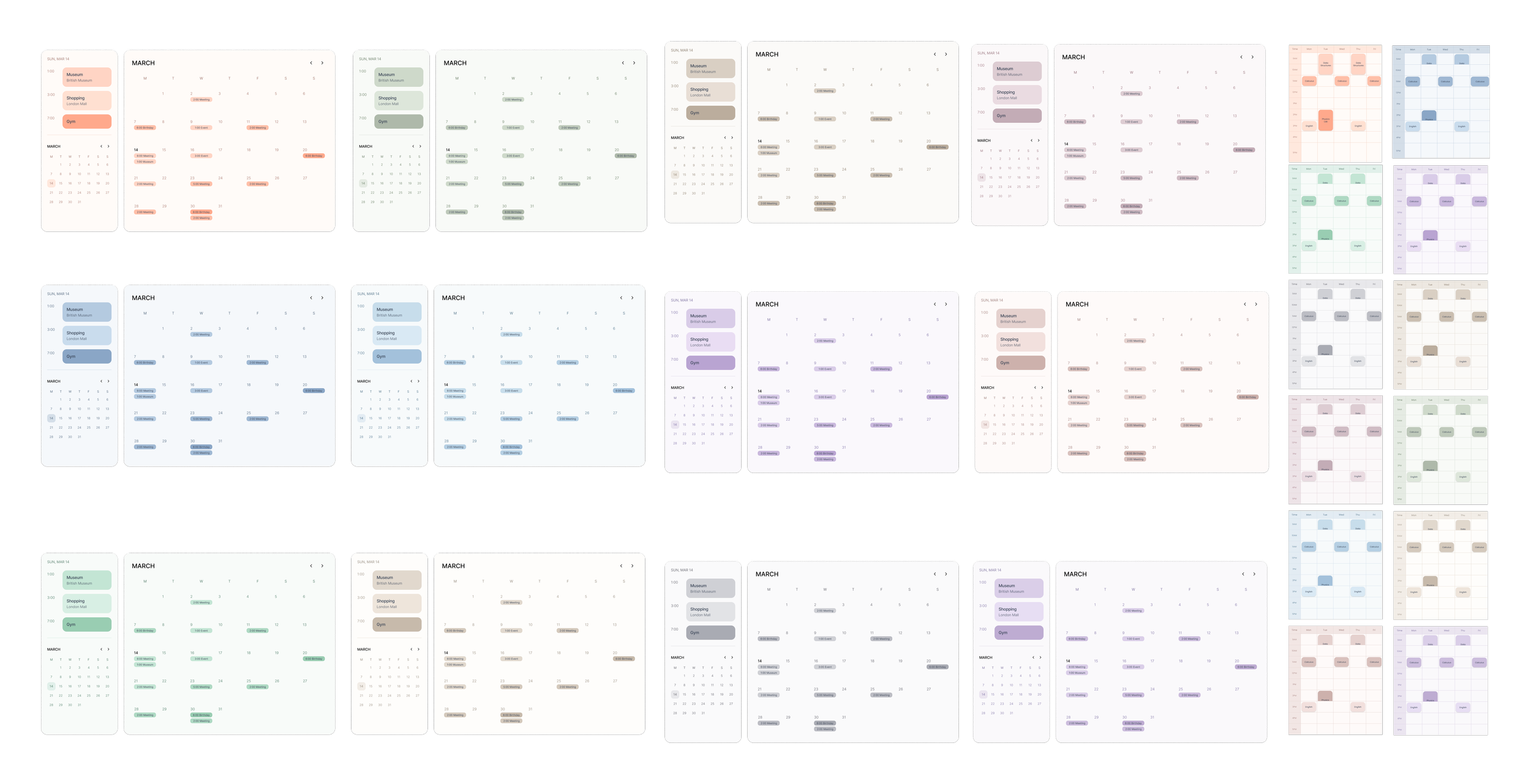
Visual variations built on a shared structural framework.
Home
The Home tab surfaces real-time availability across your close network. Users can immediately see who is free, who is busy, and where friends are in general through manual check-ins. It acts as the decision layer of the app, reducing the need to ask “Are you free?” before making plans.
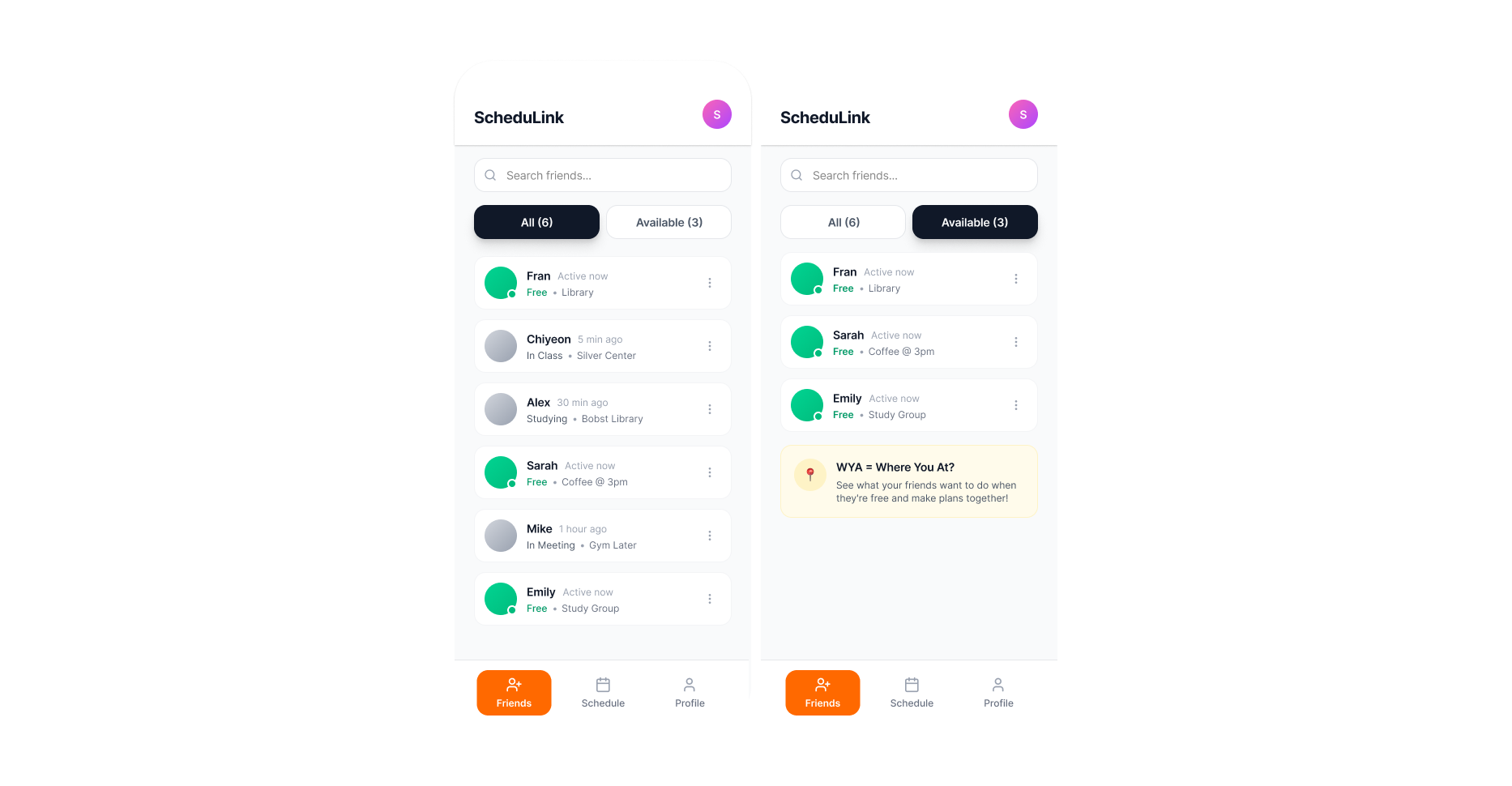
High-Fidelity Home Page
Schedule
The Schedule tab allows users to manually build and customize their semester schedule. Users control how their time is structured and presented. Multiple visual themes allow playful personalization and easy sharing.
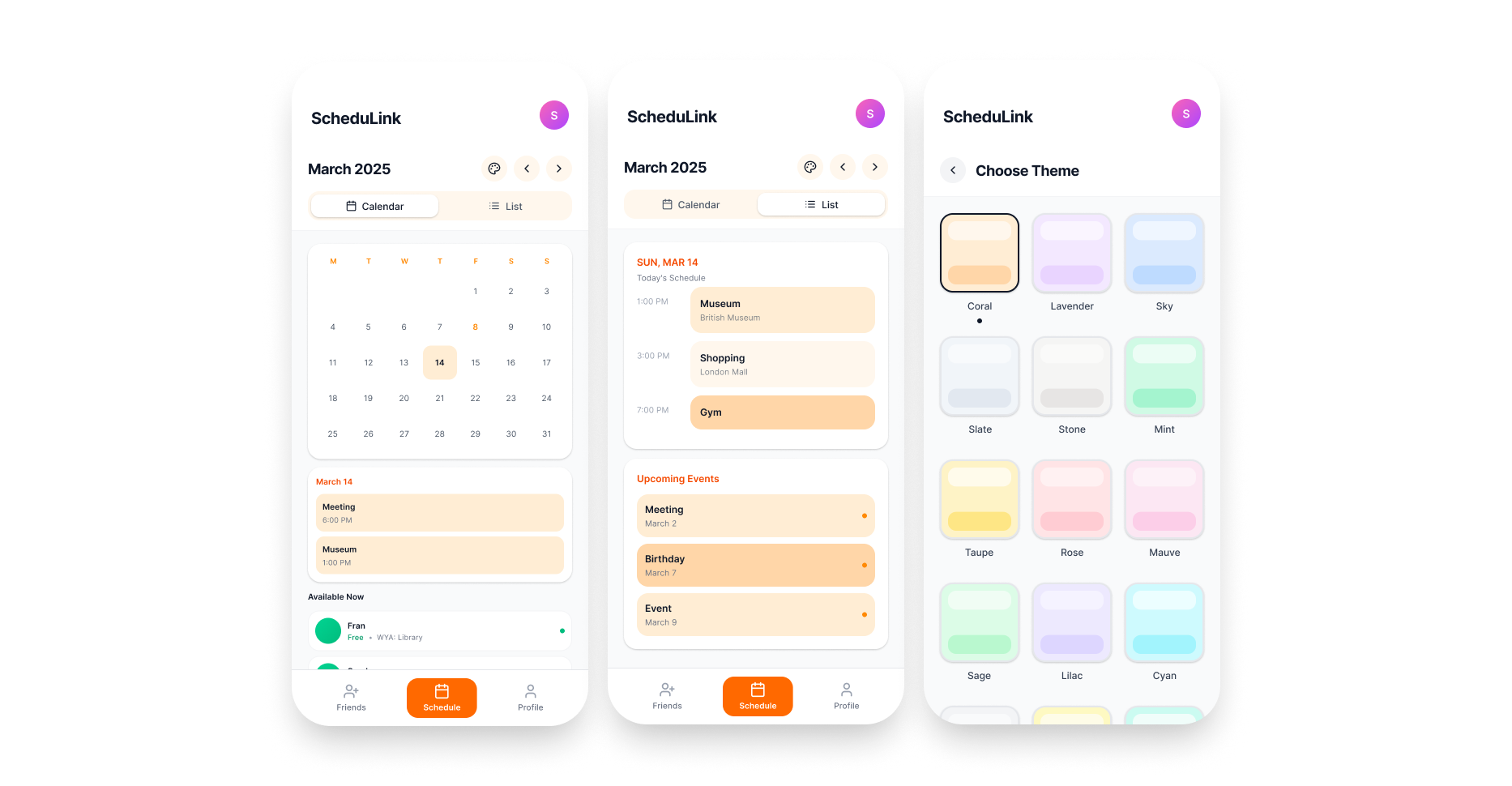
Schedule Page + Multiple Theme Options
Profile
The Profile tab focuses on personal progress and context. It provides users a quick overview of their academic rhythm.
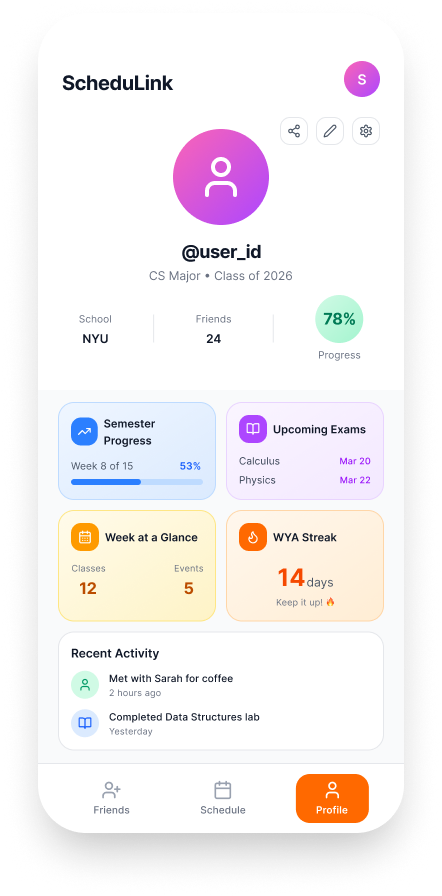
High-Fidelity Profile Page
Onboarding
Users verify their school through a .edu email, manually input their course schedules to power availability, and select privacy presets based on their comfort with sharing schedule information. Each step ensures the system functions correctly while reinforcing user agency.
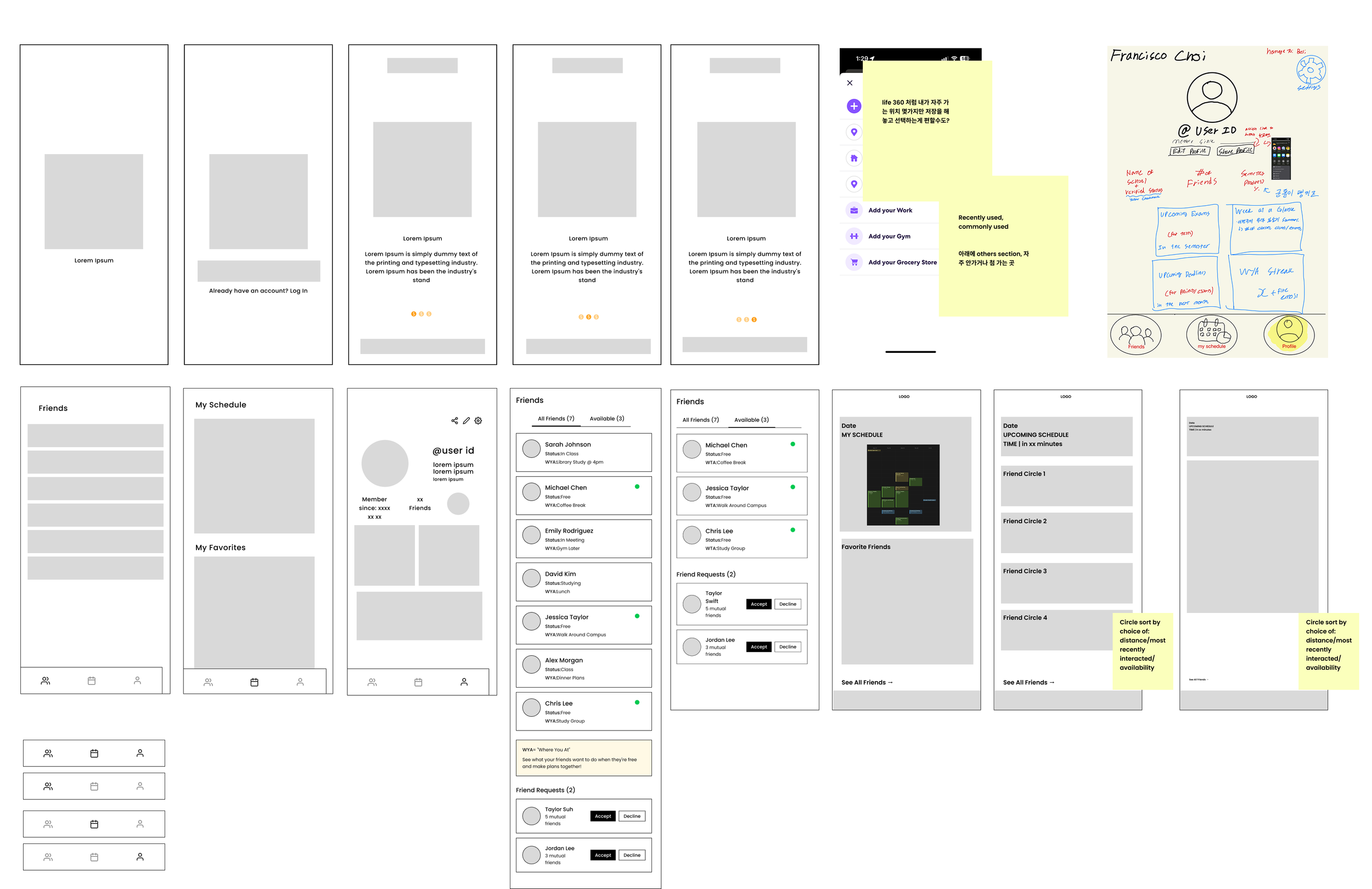
Early exploration of tab structure and availability logic.
Designing the Availability Model
At this stage, I focused on answering a few structural questions:
What information is required for availability to function?
How does schedule input translate into visible states?
Where should privacy controls live so they feel intentional but not overwhelming?
I explored these questions through low-fidelity wireframes, concentrating on layout, hierarchy, and interaction flow rather than visual styling. The goal was to ensure the system made sense before refining the interface.